
Mongo DB Vector Search
ScaleGrid now supports MongoDB Vector Search (https://www.mongodb.com/docs/atlas/atlas-vector-search/) installed alongside your MongoDB Clusters.
Pre-requisites
- Cluster type must be Replica Set or Sharded
- MongoDB Version must be v8.2.3 or higher
How to enable it?
-
Go to your MongoDB® clusters page, and select the cluster you wish to enable MongoDB Vector Search
-
Under the Overview tab, click Vector Search
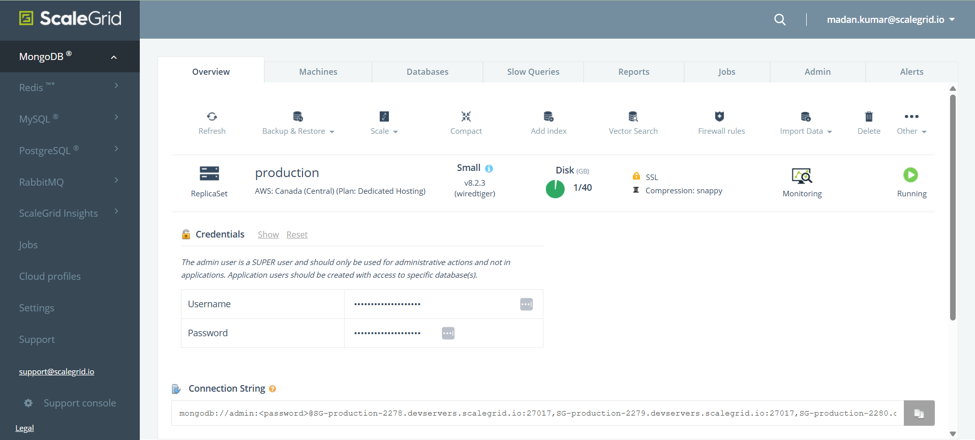
-
Click Enable to install the MongoDB Vector Search.
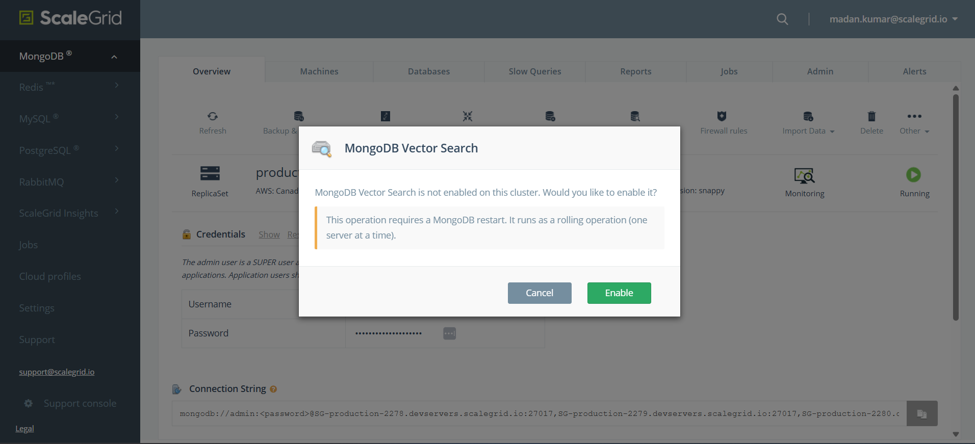
How to disable it?
- Go to your MongoDB® clusters page, and select the cluster you wish to enable MongoDB Vector Search
- Under the Overview tab, click Vector Search
- If Vector Search is enabled then you will see an option to disable it
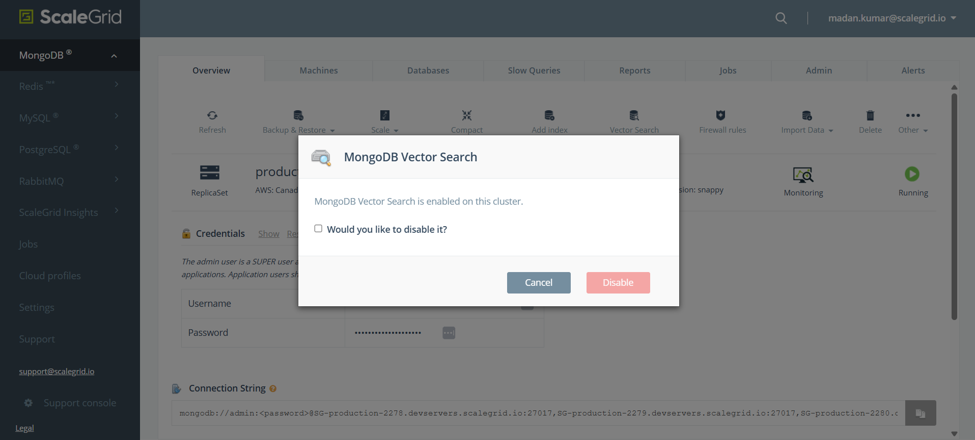
- Select the checkbox and click Disable
What’s supported?
- Vector Search Queries supported by MongoDB Vector Search community edition (https://www.mongodb.com/docs/atlas/atlas-vector-search/vector-search-stage/?deployment-type=self)
- Backup and Restore
If you wish to use automatic vector embedding please contact ScaleGrid Support.
Updated about 2 months ago